Case study · Edumundo · 2026
Socrado
Socrado is an AI tool that tests students at the HvA through a chat. I designed the brand and the chat screen.
- The problemStudents couldn’t see how much of the test was left
- What I didA new brand and a clearer test chat
- The resultStudents saw how much was left
The problem
Students lost track during the test
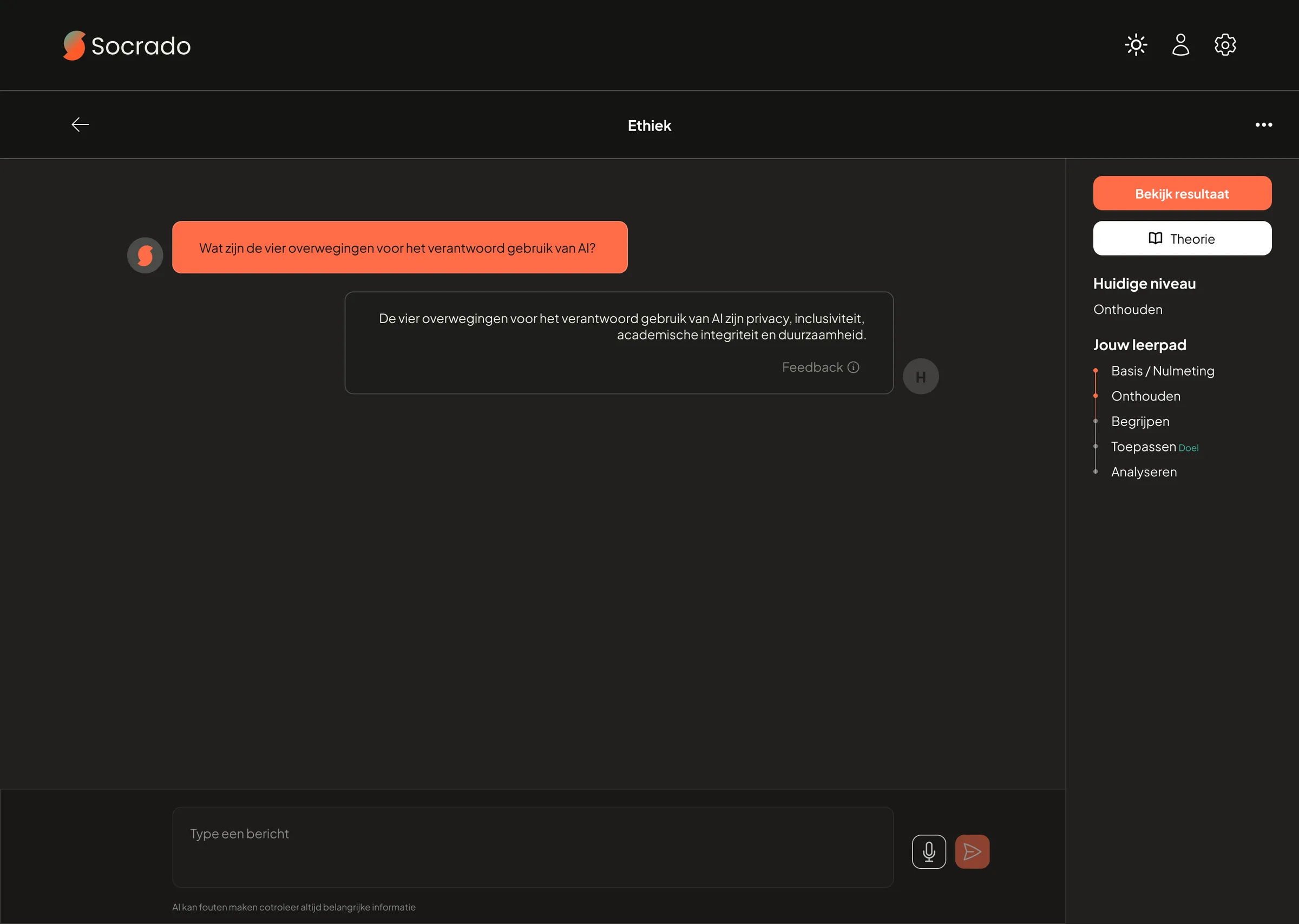
- They couldn’t see how much of the test was left.
- The learning goals and levels were shown too small.
- It wasn’t clear which message was a question and which was their answer.
From tests of version 1 with students, stakeholders and potential clients.
What I did
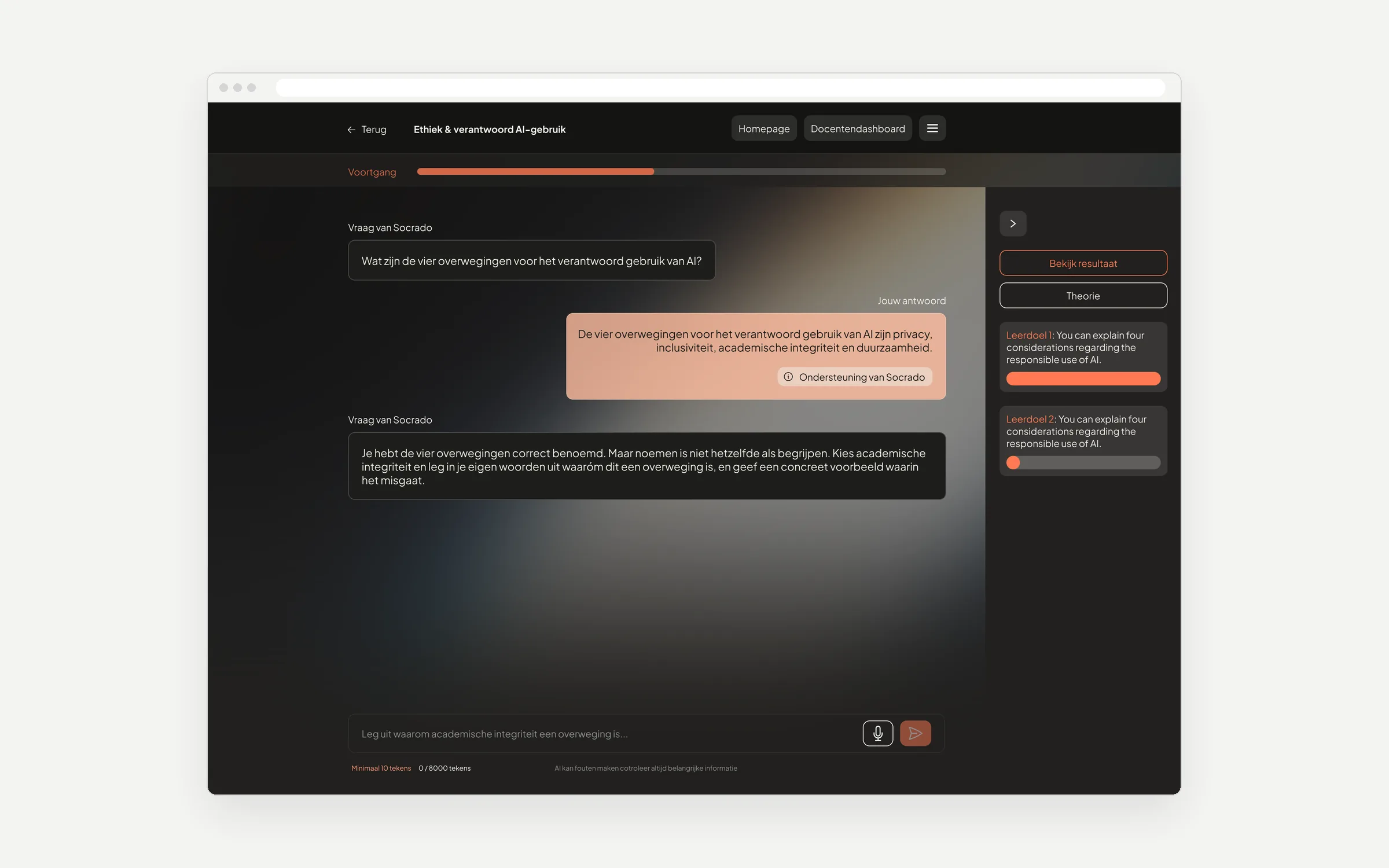
3 changes in version 2
Choice 1
A progress bar at the top
- Why
- Version 1 had no overall progress, so students didn’t know how much was left.
- Trade-off
- It takes a strip of space above the chat.
Choice 2
Each learning goal written out, with its own bar
- Why
- In version 1, the side panel only listed the levels (Remember, Understand, Apply) in small text.
- Trade-off
- The panel got wider, so you can fold it away.
Choice 3
Every message says who it’s from
- Why
- In version 1, only a small icon showed if a message came from Socrado or from the student. Now each message is labelled “Question from Socrado” or “Your answer”.
- Trade-off
- It feels a bit less like chatting with a person.
Coral and deep teal. After testing, I toned down my own coral: it tired the eyes in long tests.
Result
Students saw how much of the test was left
- Clear progressIn tests, students saw how much was left and what to do next.
- On timeDelivered on tight deadlines. The PO was satisfied.
What I learned
Ask how the scoring works before sketching
Some questions came up only while designing, like when a goal counts as done. Asking them first would have saved an iteration.